



.png?width=350&name=Pagalbos%20centras%20(1).png)
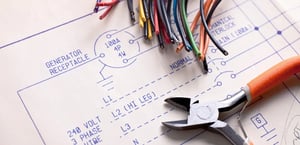
SOLIDWORKS Electrical Schematic
SOLIDWORKS Electrical Schematic automatizuoja pasikartojančias užduotis ir leidžia greitai generuoti išsamią dokumentaciją pasitelkiant išmanias schemų projektavimo galimybes.
![PRODUCTS-ELECTRICAL-3D-mechatrobics-routing-harnesses-hero-001[1]](https://inre.lt/hs-fs/hubfs/%5BWEB%5D%20Landing%20pages/SOLIDWORKS%20Electrical%20konfiguracijos/PRODUCTS-ELECTRICAL-3D-mechatrobics-routing-harnesses-hero-001%5B1%5D.jpg?width=300&name=PRODUCTS-ELECTRICAL-3D-mechatrobics-routing-harnesses-hero-001%5B1%5D.jpg)
SOLIDWORKS Electrical 3D
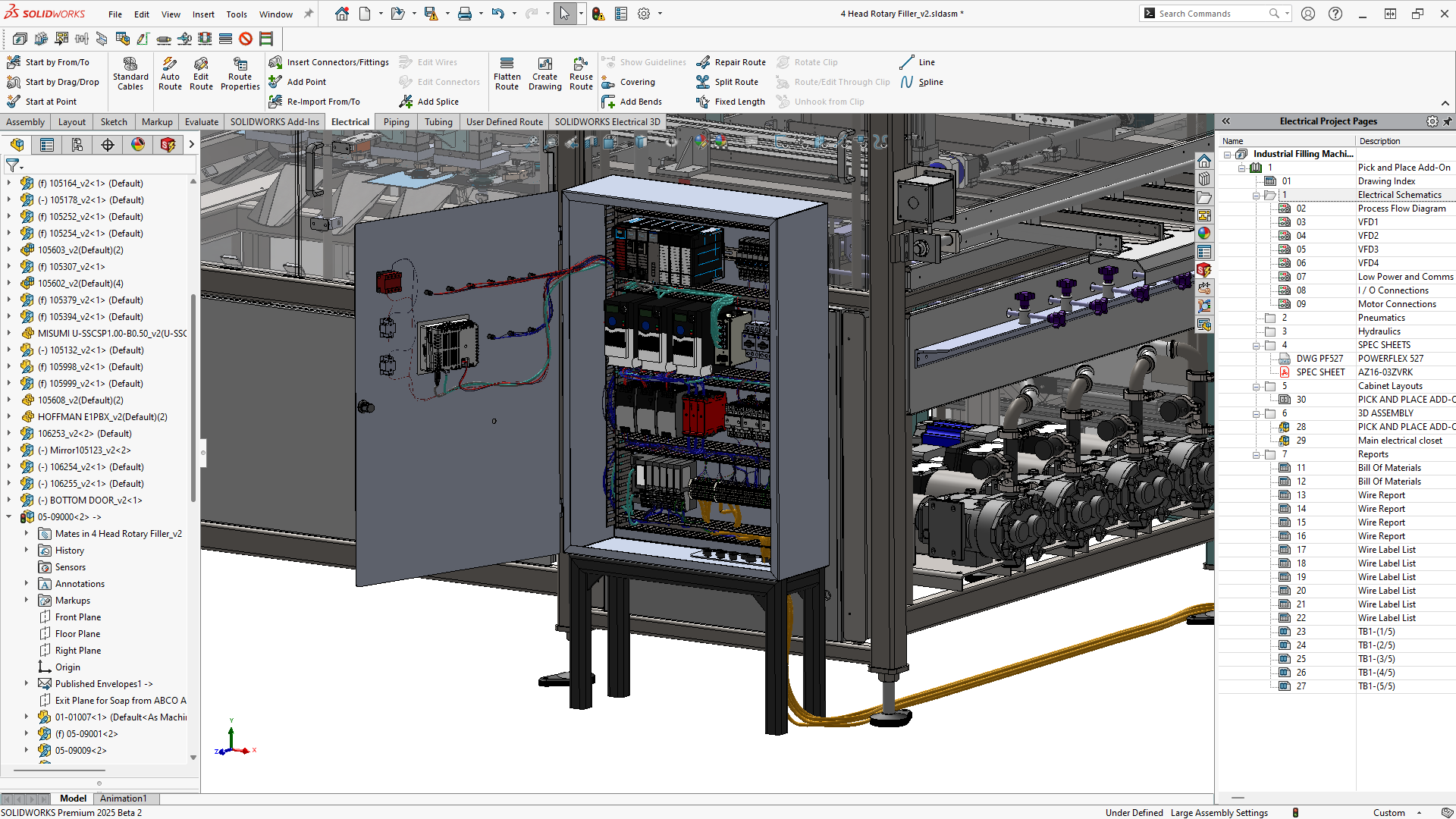
SOLIDWORKS Electrical 3D leidžia lengvai integruoti jūsų elektrinių schemų projektus į SOLIDWORKS 3D gaminio modelį.
SOLIDWORKS Electrical
SOLIDWORKS Electrical – tai pažangi scheminio projektavimo programinė įranga, leidžianti efektyviai kurti:
- elektros ir automatikos projektus;
- P&ID, pneumatines ir hidraulines schemas;
- skirtingų disciplinų schemas viename projekte.
Intuityvūs ir lengvai išmokstami įrankiai leidžia inžinieriams greitai kurti išmanias schemas, kuriose automatiškai atliekama elementų numeracija, tikrinamos klaidos ir generuojamos įvairių tipų ataskaitos pagal įmonės reikalavimus. Standartiniai įrankiai padeda greičiau projektuoti PLC valdiklius, automatiškai kurti gnybtų blokų brėžinius bei elektros spintų išdėstymus ir t.t.
Ryšys su SOLIDWORKS PLM debesijos platforma arba Microsoft SQL Server duomenų baze užtikrina patikimą duomenų valdymą, revizijų sekimą ir lygiagretų darbą prie projektų vienu metu.
SOLIDWORKS Electrical – tai vienintelė schemų projektavimo sistema, tiesiogiai integruota su SOLIDWORKS 3D projektavimo aplinka. Ji leidžia viename modelyje sujungti mechanikos ir elektros disciplinas ir sukurti pilnavertį projektuojamo gaminio skaitmeninį dvynį. Tuo pačiu automatiškai ištrasuojami laidų, kabelių ir kabelių pynių maršrutai bei tiksliai apskaičiuojami jų ilgiai.

Principinių ir vienalinijinių schemų projektavimas
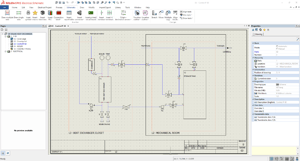
Kurkite aiškią, profesionalią ir tarpusavyje susietą dokumentaciją naudodami patogius schemų projektavimo įrankius. Pasirinkus simbolį iš bibliotekos ir patalpinus jį schemoje, komponentų kūrimas atliekamas greitai ir nuosekliai. Intuityvūs laidų braižymo įrankiai leidžia efektyviai dirbti ir sumažina poreikį rankiniu būdu koreguoti ar skaidyti linijas.
P&ID, pneumatinės ir hidraulinės schemos
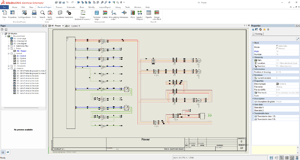
Naudojant SOLIDWORKS Electrical, galima projektuoti ne tik elektrines schemas, bet ir P&ID, pneumatines bei hidraulines sistemas. Vieningoje aplinkoje kuriama tarpusavyje susieta dokumentacija leidžia efektyviai valdyti skirtingų inžinerinių disciplinų projektus, užtikrina duomenų nuoseklumą ir palengvina pakeitimų įgyvendinimą viso projektavimo proceso metu.
Gnybtų blokų brėžiniai
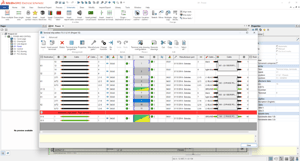
Gnybtų blokų redaktorius suteikia įrankius, leidžiančius priskirti gnybtų dalių numerius, pridėti papildomus priedus bei apibrėžti daugiapakopius gnybtus. Taip pat galima valdyti jungtis (tiltelius) tarp gnybtų. Užbaigus gnybtų blokų konfigūraciją, jų brėžiniai gali būti sugeneruoti automatiškai vienu veiksmu, taip užtikrinant greitą ir tikslų dokumentacijos parengimą.
Programuojami loginiai valdikliai (PLC)
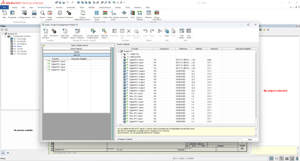
PLV valdymo įrankis leidžia efektyviai kurti ir valdyti programuojamus loginius valdiklius (PLV). Šioje aplinkoje galima struktūruotai organizuoti PLV, jų stovus (angl. racks) ir modulius, taip pat kurti pakartotinai naudojamus įėjimų ir išėjimų rinkinius. Naudojant konfigūracijas galima generuoti konfigūruojamus PLV brėžinius, užtikrinant nuoseklų ir tikslų projektavimo dokumentacijos parengimą.
Pynių projektavimas
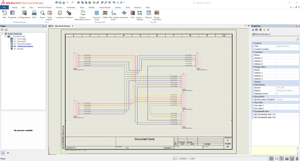
Naudojant SOLIDWORKS Electrical Schematic, galima sudaryti pynes ir tiksliai identifikuoti į jas įtrauktus laidus bei kabelius, taip pat generuoti susijusias ataskaitas. Papildomai, SOLIDWORKS Electrical 3D modulis suteikia galimybę kurti realaus mastelio pynių brėžinius, skirtus gamybai ir dokumentacijai.
Automatinės ataskaitos
Bet kurie SOLIDWORKS Electrical projekte esantys duomenys gali būti naudojami individualizuotoms ataskaitoms kurti. Sistema turi iš anksto paruoštas ataskaitas, tokias kaip medžiagų specifikacijos (BOM), laidų sąrašai ir PLC įėjimų bei išėjimų sąrašai, tačiau visos ataskaitos gali būti lanksčiai pritaikomos pagal konkrečius projekto poreikius.
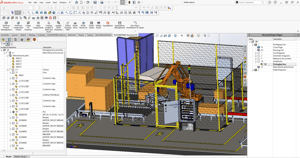
3D integracija su SOLIDWORKS
SOLIDWORKS Electrical 3D modulis leidžia automatiškai trasuoti laidus, kabelius ir kabelių pynes 3D aplinkoje. 3D komponentų tarpusavio sujungimas atpažįstamas pagal apibrėžtus komponentų ryšius SOLIDWORKS Electrical Schematic schemoje. 3D aplinkoje trasuoti laidai ir kabeliai automatiškai įtraukiami į ataskaitas su tiksliais ilgių duomenimis. Atlikus pynės trasavimą, gali būti kuriamas išklotinės brėžinys, kuriant realaus mastelio maketą, skirtą gamybai.
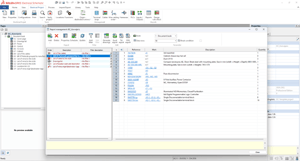
- Automatizuotos projektų konfigūracijos
- Išmanus ir susietas projektavimas
- Projektavimo automatizavimas taikant Microsoft Excel
- Žiniaraščiai ir ERP sąsaja
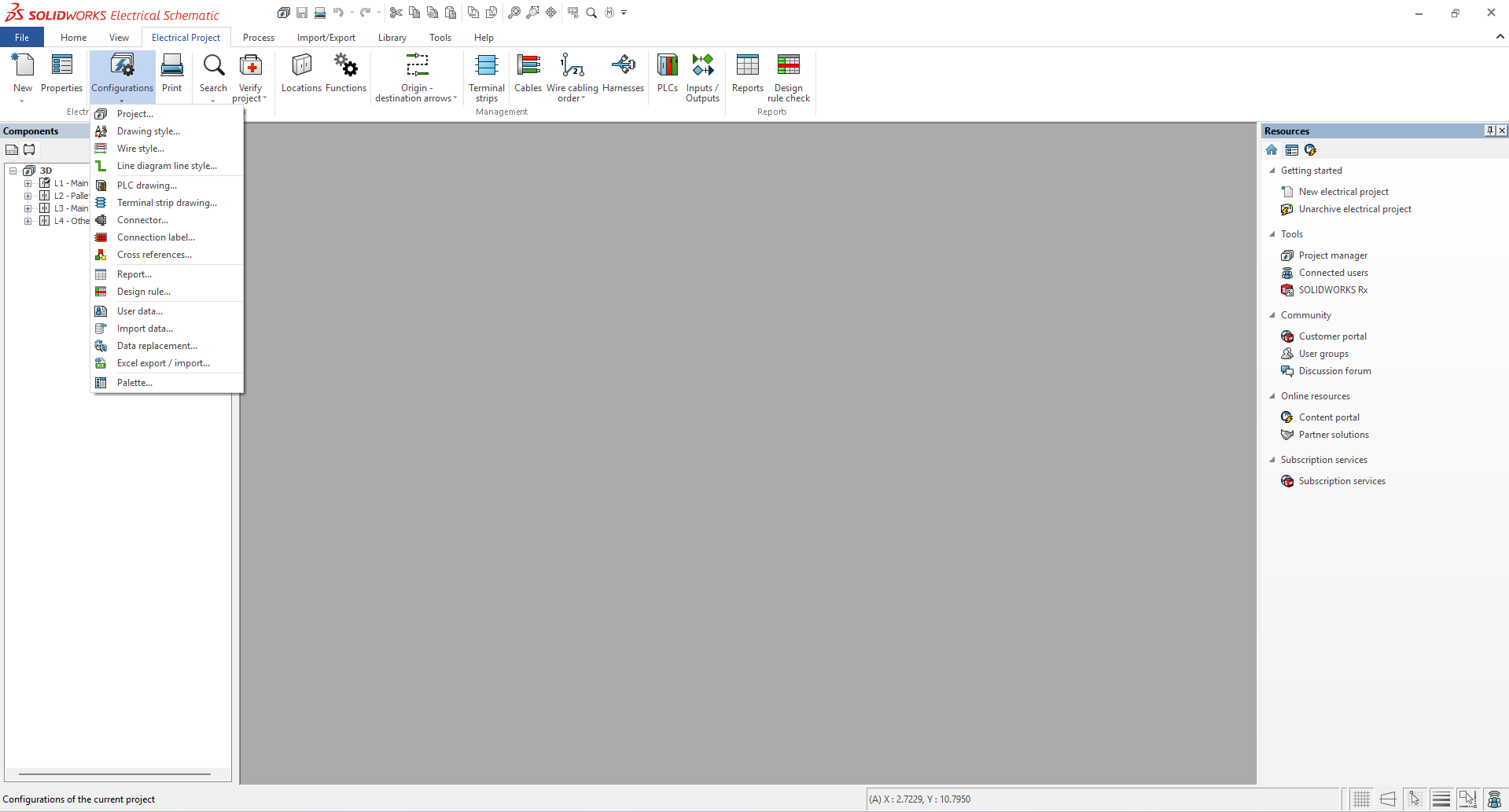
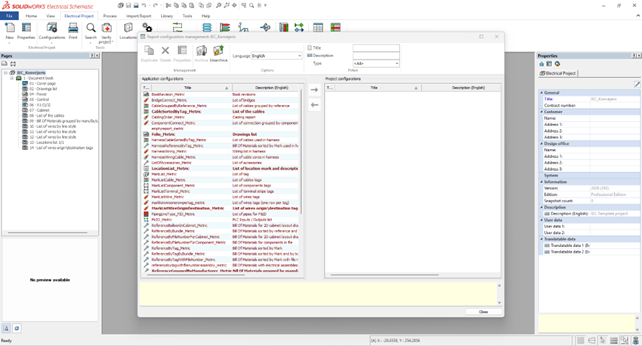
Siekiant paspartinti ir pagreitinti projektavimo procesą, SOLIDWORKS Electrical suteikia plačias projektų konfigūravimo galimybes pagal naudojamus standartus ir praktikas.
Šablonai naudoja konfigūracijas tam, kad būtų užtikrinti tinkami projektavimo nustatymai dar prieš pradedant darbą. Konfigūracijos yra lanksčios ir gali apimti daugybę parametrų – nuo brėžinių rėmelių ir kelių kalbų palaikymo iki naudojamų gamintojų, simbolių, laidų, kabelių bibliotekų bei konkrečių atributų.
Tai ženkliai supaprastina projektavimo procesą ir užtikrina nuoseklų, lengvai perprantamą darbą su projektais.
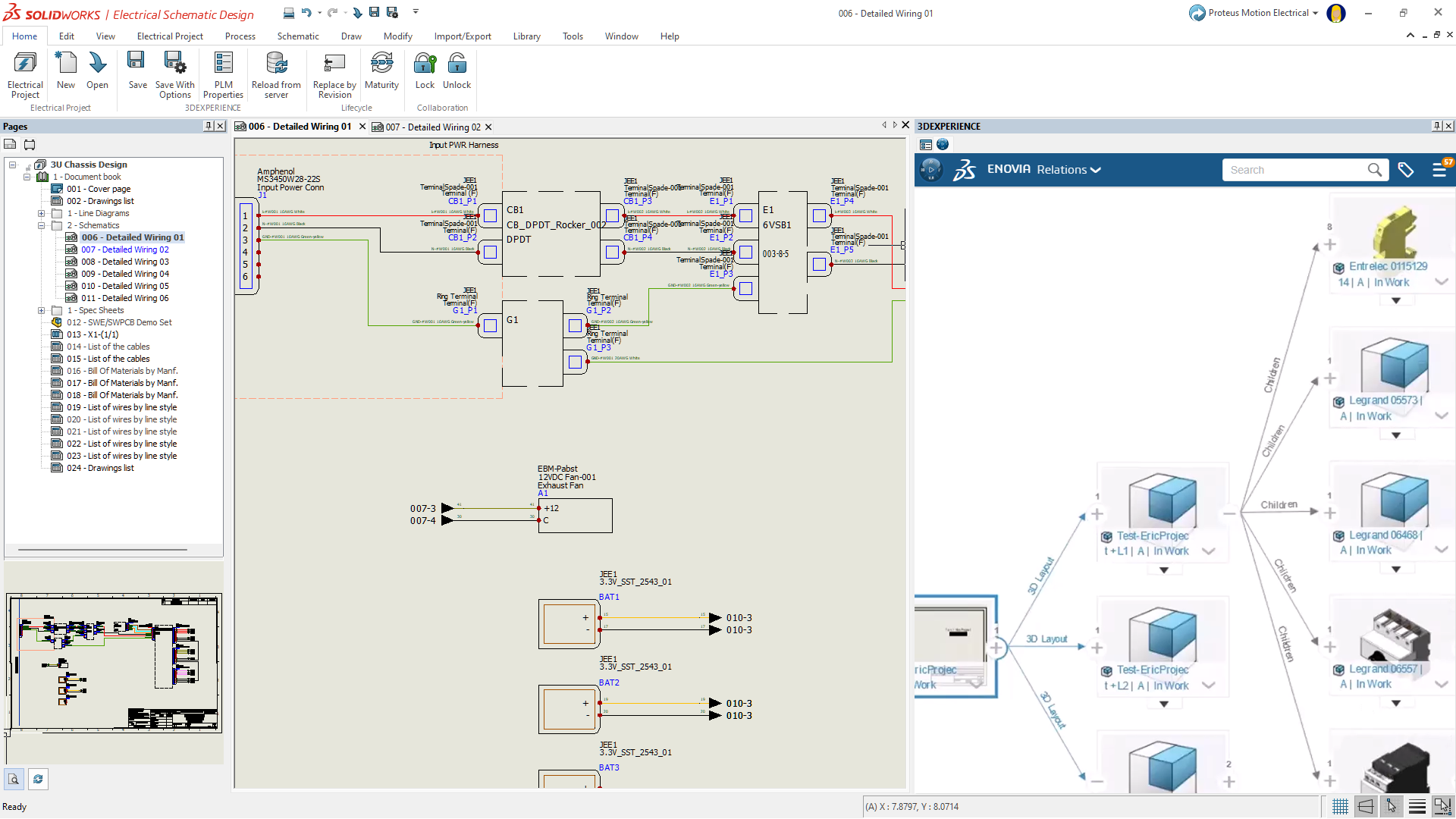
SOLIDWORKS Electrical aplinkoje visi projekto komponentai yra tarpusavyje susieti. Tai reiškia, kad komponentui priskirtos savybės automatiškai perduodamos į medžiagų specifikacijas (BOM), vienalinijines, funkcines schemas, elektrines schemas bei 3D SOLIDWORKS modelius. Toks projektavimo principas leidžia pakeitimus atlikti vienoje vietoje, o visi susiję simboliai ir modeliai automatiškai atnaujinami. Tai eliminuoja poreikį rankiniu būdu koreguoti kiekvieną dokumentacijos dalį atskirai. Dėl to užtikrinamas greitas, nuoseklus ir tikslus projektavimo pakeitimų įgyvendinimas.
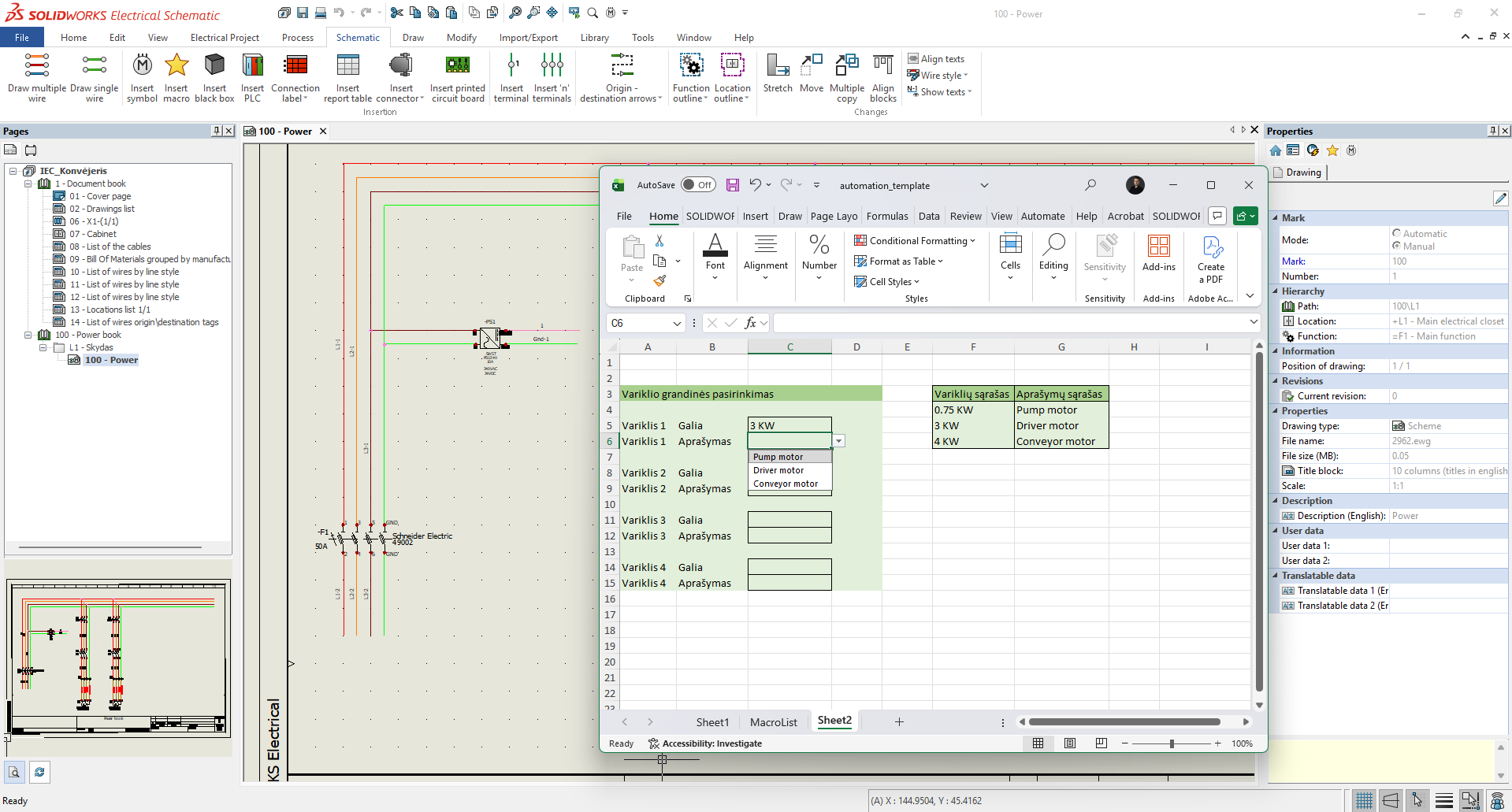
SOLIDWORKS Electrical funkcija Excel Automation leidžia ženkliai pagreitinti projektavimo procesą, ypač dirbant su modulinės struktūros ar standartizuotais projektais. Ši funkcija suteikia galimybę automatiškai generuoti schemų brėžinius remiantis Excel faile esančiais duomenimis, taip sumažinant rankinio darbo kiekį ir klaidų tikimybę. Projektas gali būti valdomas per patogią vartotojo sąsają, leidžiančią net ir netechniniams naudotojams kurti sudėtingas schemas, išlaikant duomenų nuoseklumą ir projektavimo kokybę.
Žiniaraščiai
SOLIDWORKS Electrical turi platų iš anksto paruoštų ataskaitų rinkinį, įskaitant medžiagų specifikacijas (BOM), kabelių sąrašus, laidų sąrašus, brėžinių sąrašus ir kt. Ataskaitos generuojamos automatiškai, remiantis schemoje naudojamais simboliais, kabeliais ir laidais, todėl jos nuolat atnaujinamos keičiantis projektui. Sistema suteikia galimybę lanksčiai pritaikyti ataskaitas pagal projekto poreikius. Pavyzdžiui, generuoti atskiras specifikacijas pagal elektros spintas, skydus ar montavimo vietas. Filtruoti ir grupuoti komponentus pagal gamintoją, katalogo numerį ar įrangos tipą. Tokios galimybės leidžia efektyviai valdyti projektavimo duomenis ir užtikrina išsamią bei tikslią dokumentaciją.
Sąsaja su ERP/MPR
Dirbant su SOLIDWORKS Electrical dažnai reikia parinkti konkretų tam tikro gamintojo komponento modelį. Susiejus SOLIDWORKS Electrical su ERP/MRP duomenų baze parenkant komponentą inžinieriui bus pateikiama papildoma informacija iš ERP/MRP sistemos. Tai gali būti likučiai sandėlyje, kaina, užsakymo kodas ir pan. Ši informacija matoma inžinieriui dar projektavimo metu padeda parinkti tinkamą komponentą iš karto, sumažina projekto vėlavimo ir perprojektavimo rizikas.
SOLIDWORKS Electrical ir ERP/MRP duomenų bazės integracija suteikia:
- Užklausas ir informaciją iš ERP/MRP parenkant įvairių gamintojų komponentus.
- Žiniaraščio (BOM) perkėlimą iš SOLIDWORKS Electrical į ERP sistemą.
- Elektrinis projektas 3D aplinkoje
- Automatinis laidų ir kabelių trasavimas
- Bendradarbiavimas realiu laiku
- Projektavimo planavimas ir vizualizacija
- 3D elektrinių spintų projektavimas
Naudojant SOLIDWORKS Electrical 3D, projektuotojai ir inžinieriai gali sklandžiai integruoti elektrinių schemų duomenis į gaminio ar įrenginio 3D modelį, kuriamą SOLIDWORKS aplinkoje. Šis realaus laiko, dvikryptis sprendimas pagerina bendradarbiavimą tarp elektros ir mechanikos projektavimo komandų bei suteikia galimybę lengvai įterpti arba pašalinti elektrinius komponentus tiesiogiai 3D CAD modelyje.
Galimybė projektuoti tiek 2D, tiek 3D aplinkoje padeda užtikrinti komponentų suderinamumą, optimizuoti laidų bei kabelių trasavimo kelius bei nustatyti tikslius ilgius. Tai leidžia sukurti pilnavertį projektuojamo gaminio skaitmeninį dvynį, apjungiant mechaninę ir elektrinę dalį su visa atributine informacija 3D aplinkoje.
Automatinis trasavimas
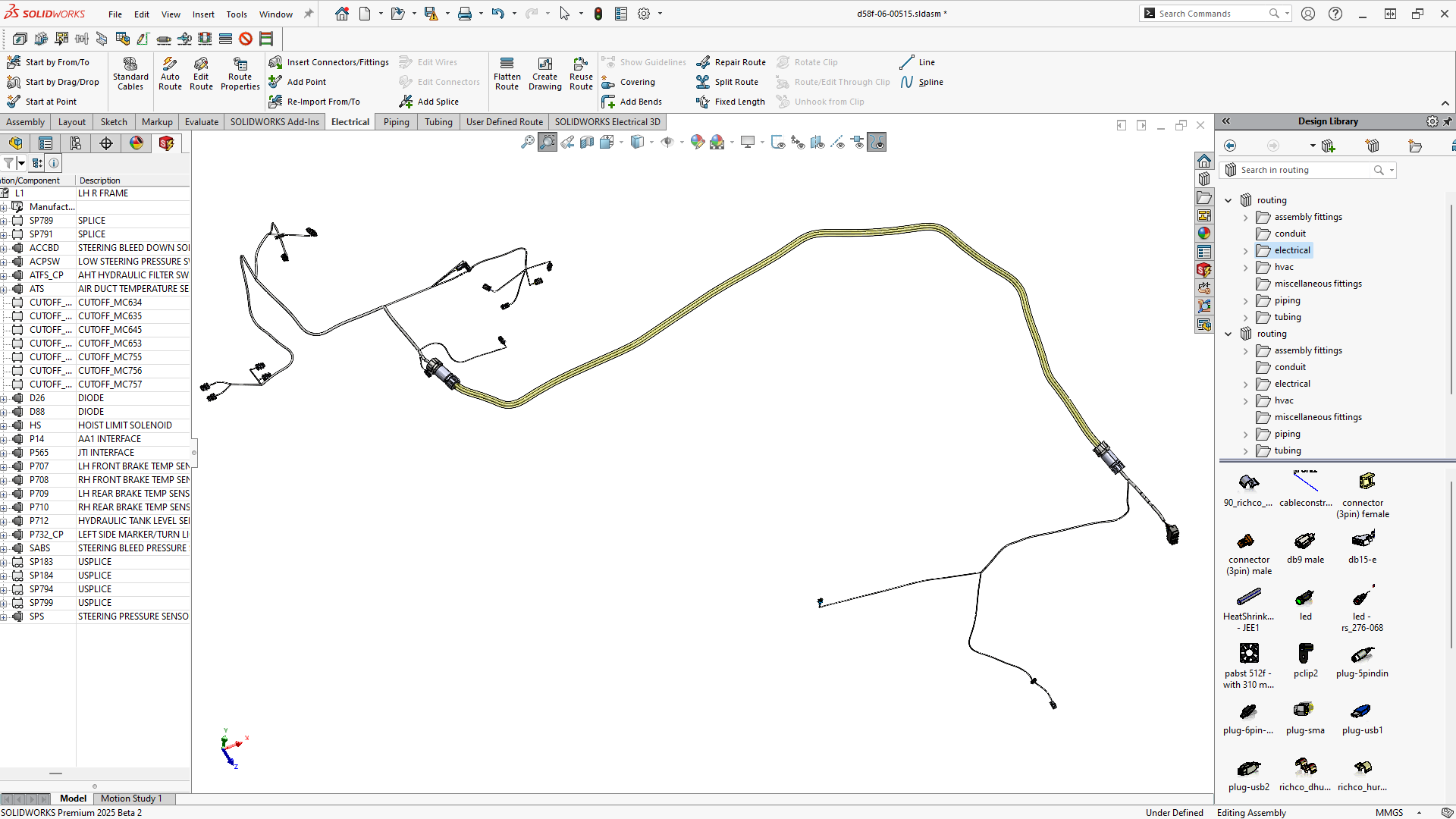
SOLIDWORKS Electrical 3D leidžia SOLIDWORKS 3D aplinkoje suprojektuoti elektros spintas, sudėti visus elektrinius elementus spintoje ir spintoje, įrenginyje ir už jų ribų, išlaikant ryšį su 2D schemomis. Unikalios SOLIDWORKS automatinio trasavimo funkcijas atlieka laidų, kabelių ir kabelių pynių trasavimą ne tik spintoje, bet ir viso projektuojamo įrenginio 3D modelyje.
SOLDWORKS Electrical 3D atlieka laidų ir kabelių trasavimą laikantis nustatytų trasavimo ir segregacijos taisyklių, pavyzdžiui, atskirti aukštos įtampos laidus nuo jautrių valdymo ar duomenų signalų laidų. Ištrasavimas vykdomas pagal schemos informaciją, todėl užtikrinamas tikslus laidų skersmens, lenkimo spindulio ir spalvos atvaizdavimas. Tokiu būdu sumažinamas rankinio darbo poreikis ir sutrumpinamas projektavimo laikas.
Laidų ir kabelių ilgiai
Atlikus trasavimą nustatomi tikslūs laidų ir kabelių ilgiai ir jų informacija išsaugoma bendrame elektros projekte. Tai leidžia iškarto, principinėse schemose matyti visus ilgius, atlikti įtampos kritimo skaičiavimus bei parengti tikslius žiniaraščius.
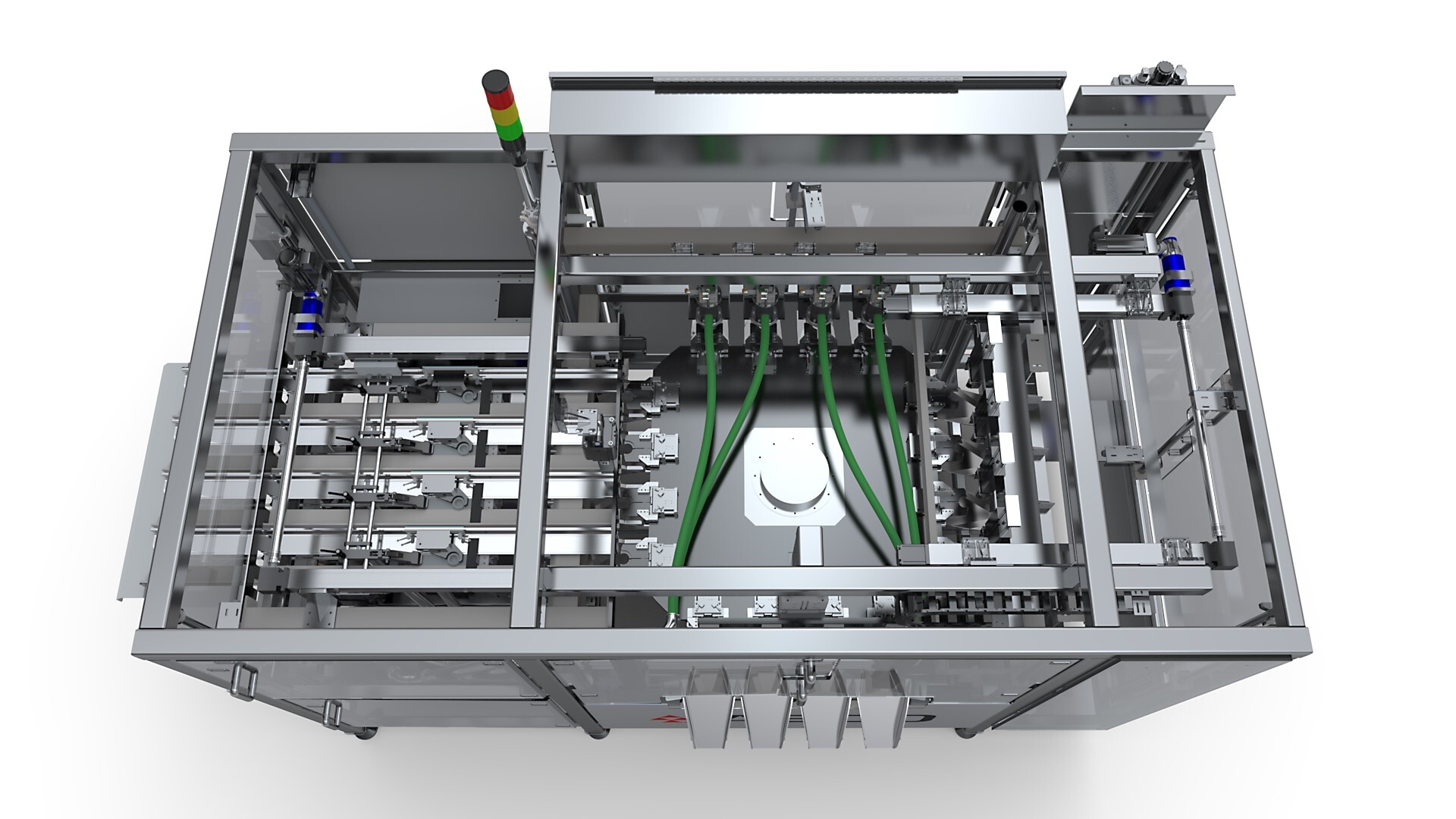
SOLIDWORKS Electrical užtikrina efektyvų kelių vartotojų ir tarpdisciplininių projektų vykdymą, suteikdama sinchronizuotą projektavimo aplinką, kuri sujungia elektros ir mechanikos komandas. Ši sinchronizacija leidžia schemose apibrėžtas elektrines sistemas tiesiogiai integruoti į projektuojamo gaminio 3D modelį.
Naudojant pažangią duomenų bazės technologiją ir bendradarbiavimui pritaikytą kelių vartotojų aplinką, keli elektros ir mechanikos inžinieriai gali vienu metu dirbti su tuo pačiu projektu realiu laiku.
Todėl sprendimai priimami greičiau, sumažėja iteracijų skaičius derinant skirtingas projekto dalis tarpusavyje, o vartotojams pateikiama išsamesnė dokumentacija, įskaitant elektros instaliacijos informaciją 3D brėžiniuose.
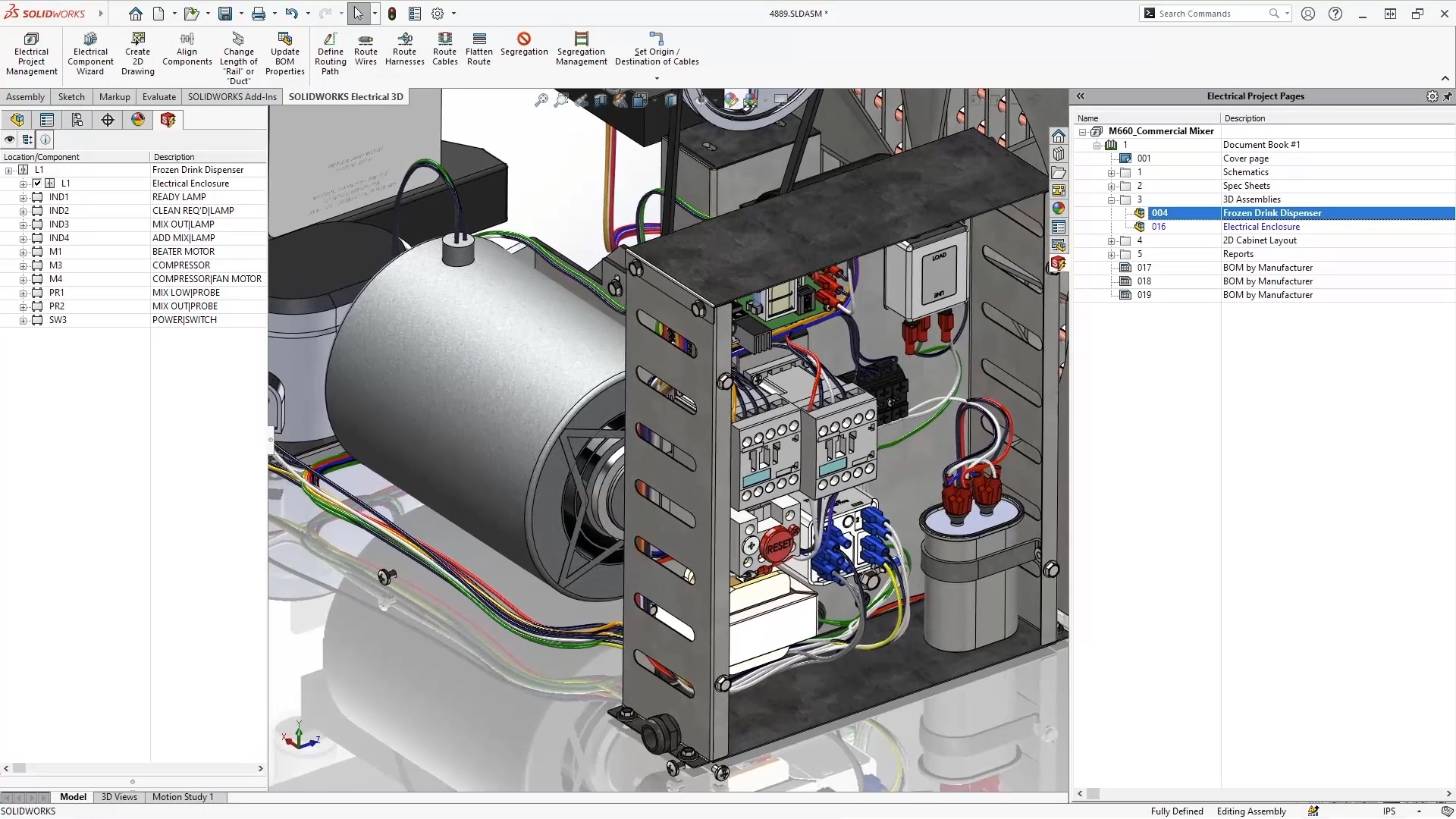
SOLIDWORKS Electrical 3D yra pritaikyta įvairiems projektavimo scenarijams - nuo elektros instaliacijos pynių iki įterptinių elektros sistemų planavimo. Programinė įranga sukuria virtualią, tiesiogiai modelyje veikiančią (angl. design-in-place) elektros sistemų kūrimo aplinką. Tai leidžia automatiškai nutiesti schemomis apibrėžtas pynes SOLIDWORKS modelyje, taip supaprastinant pynių kūrimą ir eliminuojant klaidas. Naudojant suformuotas virtualias pynes, SOLIDWORKS Electrical 3D integruoti įrankiai leidžia parengti itin detalius surinkimo brėžinius, apimančius gamybinių išklotinių bei specializuotų surinkimo brėžinių projektavimą. Šis funkcionalumas užtikrina automatinį mazgų žymėjimą pozicijomis bei tikslų pjovimo žiniaraščių ir susijusios BOM specifikacijos dokumentacijos generavimą.
Nepriklausomai nuo projekto pobūdžio, SOLIDWORKS Electrical 3D pristato naują technologinį standartą, kuriame specializuoti, schemomis pagrįsti įterptinių elektros posistemių projektavimo įrankiai sklandžiai sąveikauja su mechaninio projektavimo aplinka per pažangią ECAD ir MCAD integraciją
![DesignPlanning_Visualization[1]](https://inre.lt/hs-fs/hubfs/%5BWEB%5D%20Landing%20pages/SOLIDWORKS%20Electrical%20konfiguracijos/DesignPlanning_Visualization%5B1%5D.png?width=887&height=514&name=DesignPlanning_Visualization%5B1%5D.png)
SOLIDWORKS Electrical Schematics leidžia 2D aplinkoje greitai nustatyti spintos gabaritus, išdėstyti automatikos komponentus ir parengti brėžinius. Tuo tarpu SOLIDWORKS Electrical 3D yra skirtas elektros spintų projektavimui trimačiame kontekste, integruojant SOLIDWORKS ir SOLIDWORKS Electrical technologijas. Vientisa aplinka išnaudoja automatizavimo galimybes ir užtikrina realaus laiko sinchronizaciją tarp 2D schemų ir 3D modelio.
Integravus 2D ir 3D duomenis, galima tiksliai išdėstyti visus komponentus, atlikti laidų ir kabelių pynių trasavimą bei parengti detalius montavimo brėžinius gamybai. 3D aplinkoje taip pat galima patikrinti susikirtimus (interference) ir užtikrinti tinkamą laidų rezervą, pavyzdžiui, spintos durų judėjimui ar servisinėms kilpoms (service loops).